
Why Does My Vacuum Cleaner Keep Turning Off?
Why Does My Vacuum Cleaner Keep Turning Off?
We’ve all been there: you’re in the middle of cleaning, making good progress, and suddenly your vacuum cleaner turns off without warning. Frustrating, isn’t it? This is a common issue with multiple potential causes—from overheating to battery protection or clogs stopping airflow. Let’s break it all down and figure out what’s really causing those interruptions.
When your vacuum cleaner keeps shutting off repeatedly, it’s typically due to overheating, a failing battery, or blocked airflow. Most modern vacuums have built-in safety mechanisms like thermal cutoffs or battery management systems (BMS) to protect the machine. Identifying the specific cause is key to fixing the issue.
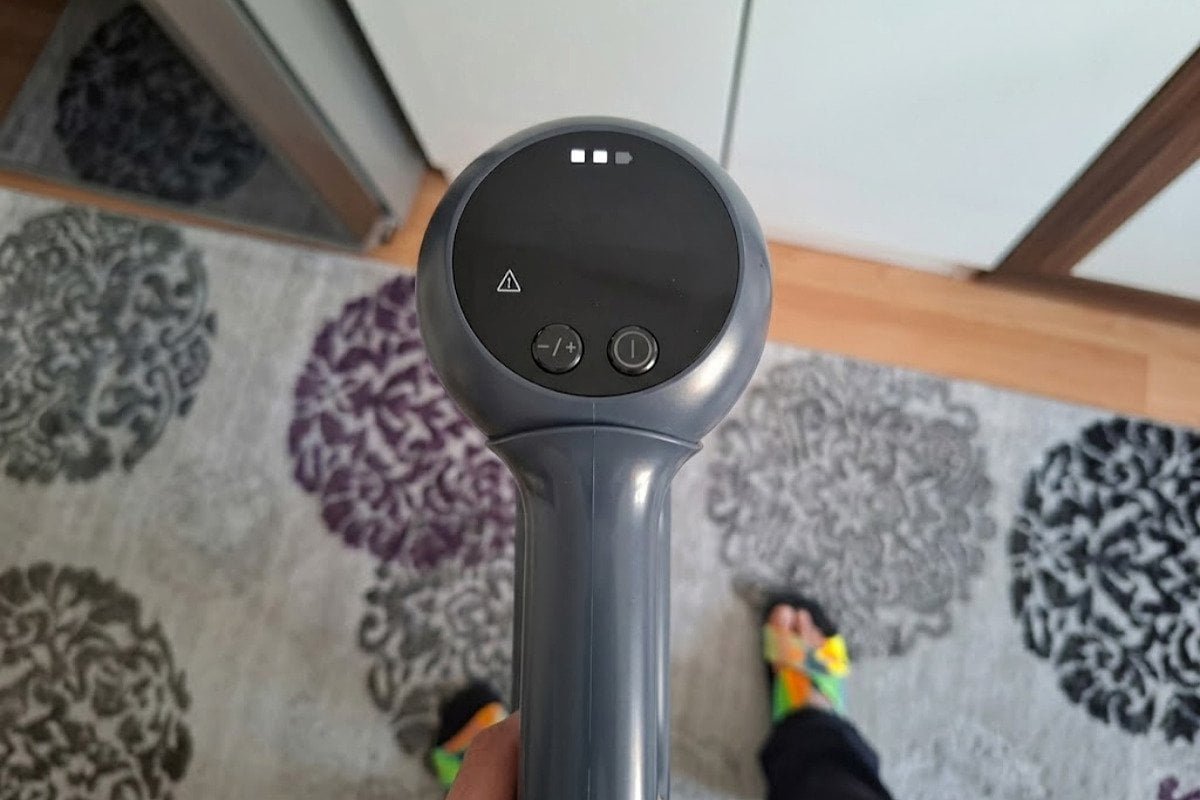
If your vacuum is misbehaving, don’t panic. Below, we’ll explore common reasons vacuums turn off unexpectedly and some simple solutions to get yours running smoothly again.
Overheating & Thermal Cutoffs: The #1 Reason Vacuums Shut Down Mid-Clean
Have you noticed your vacuum gets unusually warm before it powers down? Overheating is one of the most common reasons for mid-use shutdowns.[^1]
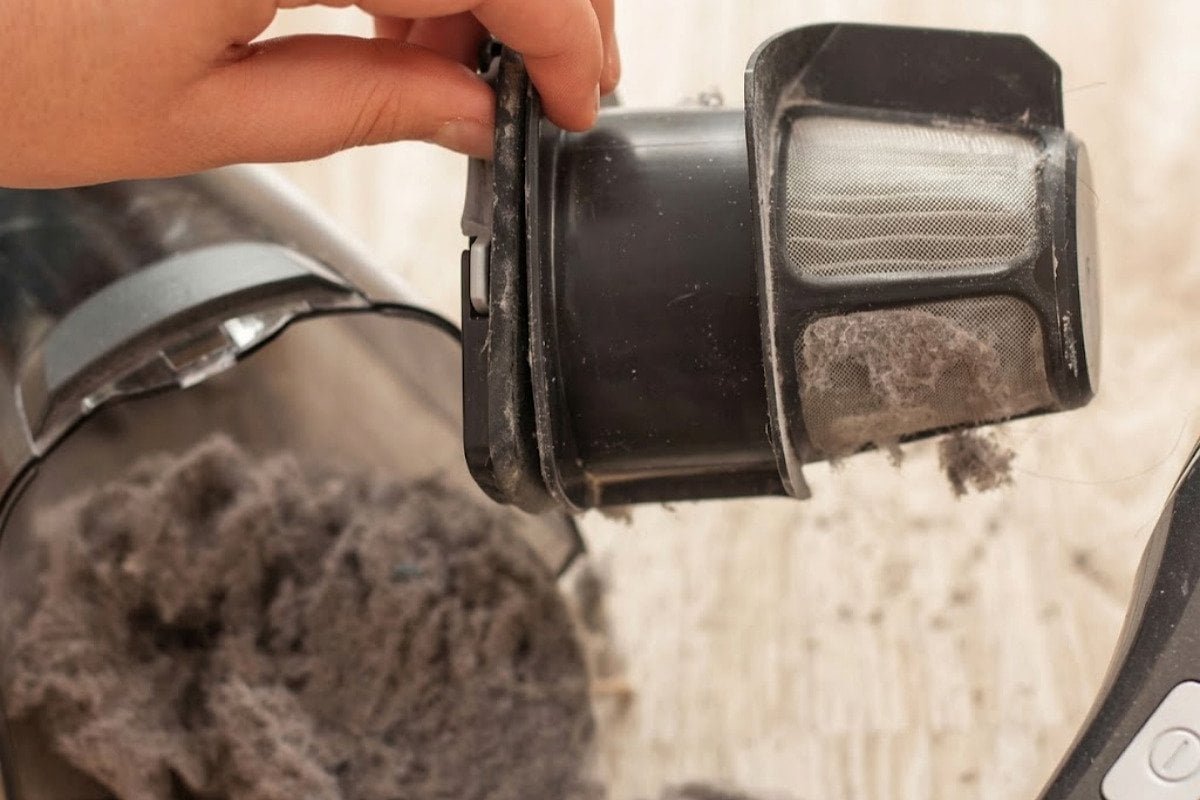
Overheating often triggers the vacuum’s thermal cutoff switch—a safety mechanism built into most models to protect the motor. This typically occurs due to clogged filters, blocked vents, or a full dust bin.
Why Overheating Happens—and How to Prevent It
Vacuum cleaners operate by drawing air through the motor to create suction. When airflow is restricted, the motor works harder, produces excess heat, and eventually trips the thermal protector, cutting power to prevent damage.
Here’s what could be causing your vacuum to overheat:
- Clogged Filters: When filters aren’t cleaned or replaced regularly, they block air circulation.
- Full Dust Bin: Too much debris in the bin prevents proper airflow.
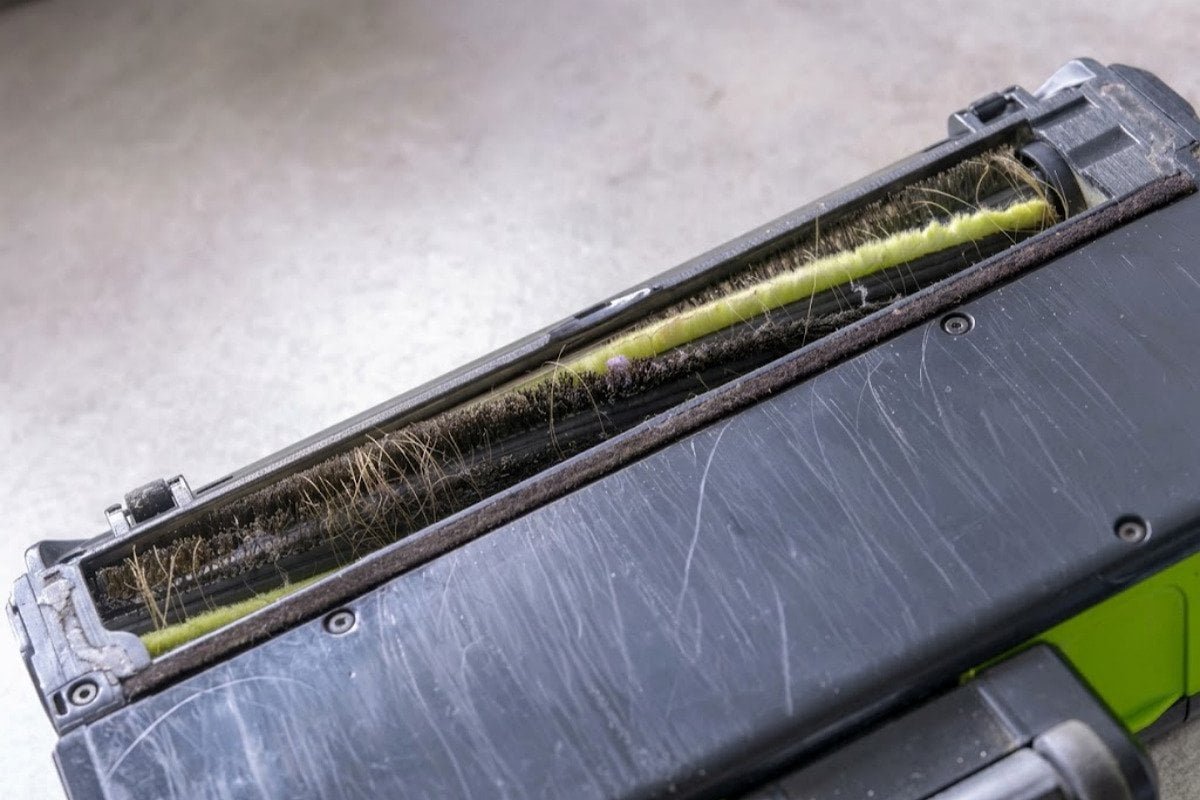
- Obstructions: Hair, string, or debris lodged in the hose or roller can restrict suction.
- Vents Covered: Blocked exhaust vents keep heat trapped inside.
Quick Fixes:
- Clean or replace filters at least once a month.
- Empty the dust bin when it’s about 75% full[^2]—don’t wait for it to overflow!
- Inspect the hose and roller for obstructions and remove any blockages.
- Make sure the exhaust vents are clean and unobstructed.
Battery Health, BMS Protection, and Runtime Drop: Is Your Battery Dying or Just Safeguarding Itself?
If you’re using a cordless vacuum cleaner, battery health could be a factor.
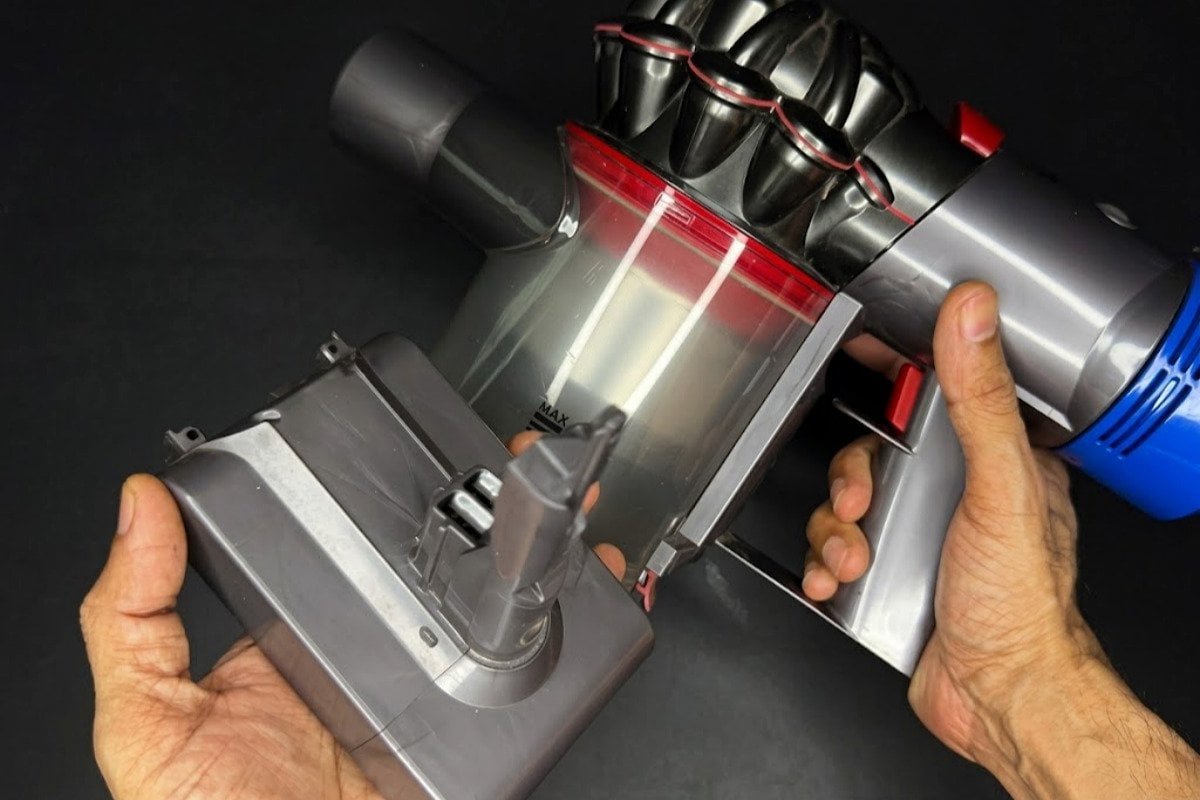
Cordless vacuums rely heavily on their battery’s condition and internal Battery Management System (BMS).[^4] Frequent shutdowns might mean the battery is near the end of its life, overheating, or going into protective shutdown mode.
How Battery-Related Issues Cut Cleaning Sessions Short
Batteries degrade over time, reducing runtime and causing mid-clean shutdowns. But sometimes, the problem isn’t a failing battery—it’s the BMS doing its job. BMS systems are designed to:
- Prevent the battery from overheating.
- Stop the vacuum when voltage drops too low.
- Limit overuse to extend battery lifespan.
Here’s how to distinguish a dying battery from BMS-related safeguards:
- Short-Run Times[^5]: If your vacuum powers off after just a few minutes despite being fully charged, it’s likely the battery is worn out.
- Overheating Battery: Overuse or charging immediately after vacuuming can overheat the battery, triggering a shutdown.
- Unresponsive Behavior: If the vacuum doesn’t turn on at all, the battery could be fully depleted.
Solutions:
- Charge the vacuum correctly: Avoid overnight charging and let the battery cool between use and charging.
- Replace old batteries. Check your manufacturer’s guide for compatible replacements.
- Consider lighter loads if runtime drops (e.g., lowering suction settings for less strain).
Clogs, Sensor Triggers, and Liquid Ingress: Simple DIY Fixes Before You File an RMA
Sometimes, the issue has nothing to do with overheating or batteries. Modern vacuums are packed with sensors that serve as safeguards against various risks, but these can be overly sensitive.
Clogs in the hose, tangled rollers, or even dust on sensors can send your vacuum into shutdown mode. And in wet/dry or hybrid vacuums, any liquid sucked in accidentally could cause sudden power loss.
What Else Could Be Going Wrong?
Check for these common issues before assuming your vacuum has a bigger problem:
- Blocked Hoses[^6]: Use a straightened wire hanger to dislodge debris.
- Sensor Dust: Clean sensors with a dry microfiber cloth.
- Liquid Damage: Dry the vacuum thoroughly if you suspect liquid was accidentally sucked in.
- Power Cord Issues (for corded models): Damaged cords or loose plugs can intermittently cut power.
Here are some additional actions to troubleshoot:
- Place your vacuum upside-down and spin the rollers manually to remove tangled hair or debris.
- Test your vacuum on a different power outlet if it’s corded.
- Avoid vacuuming wet spots unless your model explicitly supports it.[^7]
If these quick fixes don’t help, it might be time to contact customer service or file a warranty claim. Always check your user manual for model-specific troubleshooting steps.
Frequently Asked Questions
Why does my vacuum shut off only after a few minutes?
This is often due to overheating—clogged filters or a full dust bin restrict airflow, causing the motor to heat up and trigger safety shutoffs. It could also indicate a worn-out battery in cordless models.
How do I reset a vacuum cleaner after it overheats?
Unplug the vacuum and let it cool for at least 20–30 minutes. Clean the filters, empty the dust bin, and check for clogs before turning it back on.
Can vacuum batteries be replaced?
Yes, most cordless vacuum batteries are replaceable. Check your manufacturer’s guide for compatible replacements and follow proper installation instructions.
Conclusion
When your vacuum cleaner keeps turning off, it’s important to identify the underlying cause. Overheating issues, battery-related problems, and blockages are the most common culprits. The good news? These issues are often fixable with proper maintenance. Keep filters clean, avoid overloading your vacuum, and monitor your battery health to reduce interruptions.[^8]
If you’ve tried these steps and the problem persists, contacting the manufacturer or seeking professional repair might be your best next step. A reliable vacuum ensures not only a clean home but also a smoother cleaning experience. Don’t let minor issues make you give up on yours!
[^1]: "Why Your Vacuum Is Overheating (and How to Fix It)", https://www.ecovacs.com/us/blog/vacuum-overheating. Studies on vacuum cleaner performance indicate that overheating due to restricted airflow is a primary cause of mid-use shutdowns, supported by the inclusion of thermal cutoff mechanisms in most modern models. Evidence role: statistic; source type: research. Supports: Overheating is a frequent cause of vacuum cleaners shutting off during use.. Scope note: The prevalence of overheating as a cause may vary by vacuum cleaner type and brand. [^2]: "What Is a Good Suction Power for a Vacuum Cleaner?", https://www.ecovacs.com/us/blog/what-is-good-suction-power-for-vacuum-cleaner. Educational materials on vacuum cleaner maintenance suggest that keeping the dust bin below full capacity improves airflow and reduces the risk of overheating. Evidence role: general_support; source type: education. Supports: Emptying the dust bin when it’s about 75% full can help prevent overheating.. Scope note: The 75% threshold is a general recommendation and may vary by model. [^3]: "Vacuum Overheating: What to Do & How to Avoid | Dreame US", https://www.dreametech.com/blogs/blog/vacuum-overheating. Educational resources on vacuum maintenance suggest a cooling period of 20–30 minutes to allow overheated motors to reset and prevent further damage. Evidence role: general_support; source type: education. Supports: Letting a vacuum cool down for 20–30 minutes can resolve overheating issues.. Scope note: The exact cooling time may vary based on the vacuum's motor design and severity of overheating. [^4]: "Cleaner", https://en.wikipedia.org/wiki/Cleaner. Research on battery technology highlights the role of Battery Management Systems in regulating temperature, voltage, and usage to ensure safe and efficient operation in cordless appliances. Evidence role: mechanism; source type: research. Supports: Cordless vacuums depend on their battery's condition and Battery Management System (BMS) for proper operation.. Scope note: The specific implementation of BMS may vary across vacuum cleaner brands and models. [^5]: "Cordless Vacuum Cleaner Problems Explained: Causes, ...", https://honiture.com/blogs/cordless-vacuum/vacuum-cleaners-problems-explained?srsltid=AU7gw4WTvvjjC1r8jIFyCoVtzgQrhFezIug5-bwchiDFXh3fRJUnBT7V. Educational resources on cordless vacuum maintenance suggest that significantly reduced runtime is a common symptom of battery wear. Evidence role: general_support; source type: education. Supports: Short-run times in cordless vacuums often indicate a worn-out battery.. Scope note: Other factors, such as clogged filters or high suction settings, can also contribute to short-run times. [^6]: "Why does the pitch of a vacuum cleaner go up when you ...", https://www.quora.com/Why-does-the-pitch-of-a-vacuum-cleaner-go-up-when-you-block-the-suction-tube. Educational materials on vacuum maintenance explain that blocked hoses restrict airflow, causing the motor to overheat and triggering safety shutoffs. Evidence role: mechanism; source type: education. Supports: Blocked hoses can cause vacuums to shut off unexpectedly.. Scope note: The severity of the issue may vary depending on the vacuum's airflow design. [^7]: "Can You Vacuum a Wet Carpet? Why You Shouldn't & What to ...", https://www.dreametech.com/blogs/blog/can-you-vacuum-wet-carpet. Institutional guidelines on appliance use warn that vacuuming liquids with dry-use models can damage internal components and void warranties. Evidence role: expert_consensus; source type: institution. Supports: Vacuuming wet spots can damage vacuums not designed for wet use.. Scope note: The advice may not apply to hybrid or wet/dry vacuum models. [^8]: "Cleaning efficacy of high-efficiency particulate air-filtered ...", https://pubmed.ncbi.nlm.nih.gov/18075882/. Educational materials on appliance care emphasize that regular maintenance, including filter cleaning and battery monitoring, helps maintain optimal vacuum performance and reduces interruptions. Evidence role: general_support; source type: education. Supports: Regular maintenance, such as cleaning filters and monitoring battery health, can reduce vacuum interruptions.. Scope note: The effectiveness of these practices may depend on the vacuum's design and usage frequency.
Related Posts
How to Evaluate a Robotic Pool Cleaner Sample Before Mass Production?
# How to Evaluate a Robotic Pool Cleaner Sample Before Mass Production? When assessing a robotic pool cleaner sample before…
How to Measure Pool Skimmer Cleaning Coverage in a Repeatable Test?
# How to Measure Pool Skimmer Cleaning Coverage in a Repeatable Test? [Pool skimmer cleaning coverage is one of the…
What Warranty Terms Should Buyers Compare for Robotic Pool Cleaners?
# What Warranty Terms Should Buyers Compare for Robotic Pool Cleaners? When buying robotic pool cleaners, warranty terms can heavily…
Leave a Reply